 YOU ARE HAMSTER.COM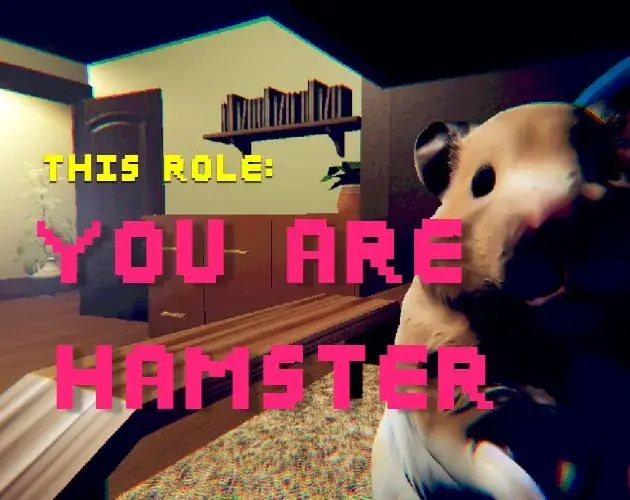
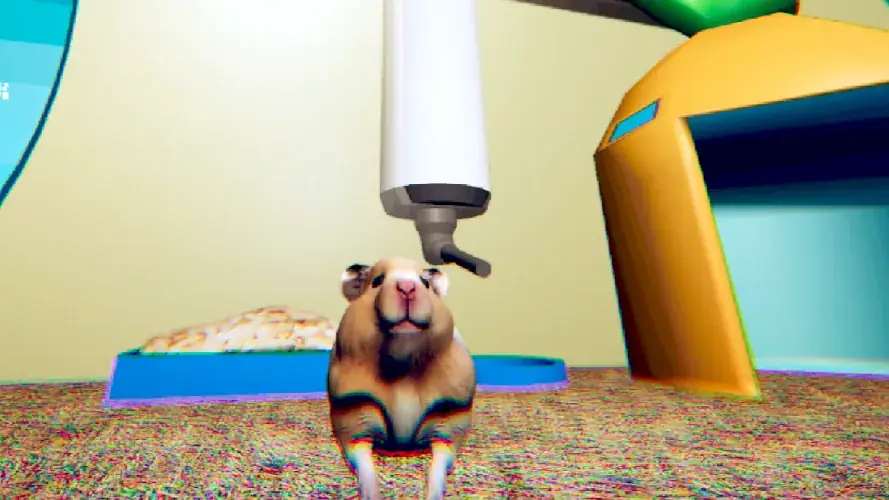
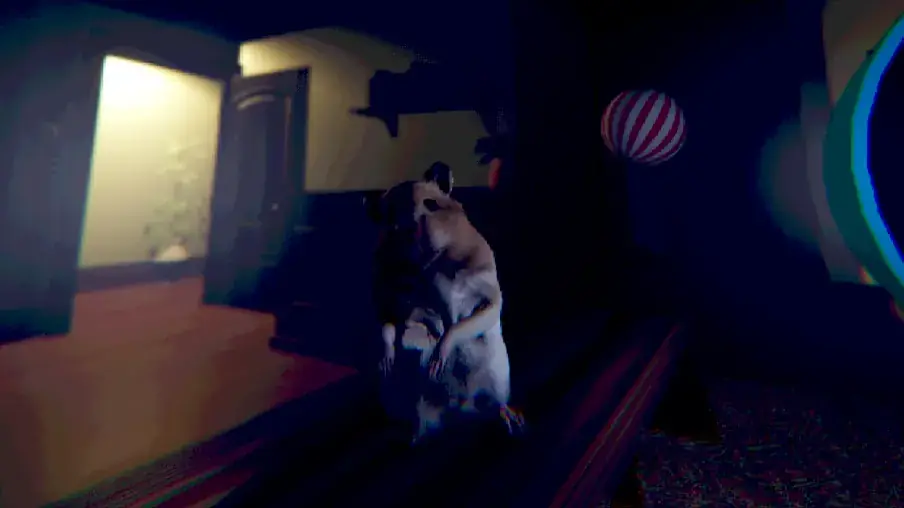
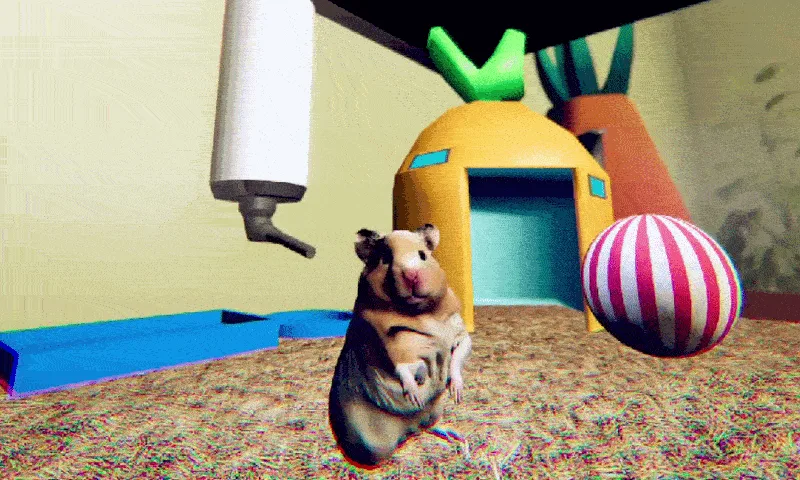
This is an independent, English-language companion to SeenThai's short comedy horror game. The guide begins with practical help for the person who asked how to play in the original itch.io comments. It also addresses the questions those comments invite: what the premise is, why the ending gets attention, how to approach a short game with no pause or save, and how to enjoy the shift from cute animal play to a stranger kind of room. It is deliberately careful about evidence. The release page is the authority for platform, listed controls, estimated length, and the basic story. Commenters supply reactions, not rules of the game. A caption on an official image can help you recognize a scene, but it cannot prove a hidden mechanic or an alternate ending.
If you want the shortest possible answer, use the quick start below and return to the game. The later sections are for players who want more context, a calmer way to work through confusion, help with a Windows download, or an interpretation of the game after they finish. The story is short enough that a highly prescriptive sequence of every surprise would remove much of the point. For that reason, the first half of this guide stays spoiler light. The later discussion warns you before it talks about the ending, and it does not claim details that cannot be checked from the creator's page or the public comments.
Quick start: the answer to "how do I play?"
- Open the game window on this site and press Load Game, or visit the original release on itch.io to get the Windows download. The original listing describes a downloadable Windows game. The browser window on this independent site is a separate embedded version; its availability can depend on the host and your browser.
- Give the game window focus. Click once inside it if the keyboard seems to control the web page instead of the hamster. If you are using the original Windows download, launch the game itself and bring its window to the front.
- Use W, A, S, and D to move, Spacebar to jump, and E to interact. These are the three controls explicitly listed by SeenThai. When you see an in-game prompt, read it before experimenting. A prompt is stronger evidence of what to do at that moment than a general guide written outside the game.
- Plan for roughly 10 minutes in one sitting. SeenThai says the short experience has no pause or save feature. Starting when you have a quiet block of time is a practical choice, especially if you want to see the ending without replaying from the start.
- Begin as a hamster in a cage in your owner's room. Notice the ordinary objects around you and watch for the thing the owner cannot see. The creator's description says to stay alert, pretend you did not see it, and remain cute. Let that tension guide your attention without assuming every visible object is a puzzle.
- If you are stuck, return to the last clear prompt, move around slowly, and try E near the object or area the scene emphasizes. If a jump seems relevant, use Spacebar. Do not assume there is an inventory, combat system, map, timer, or branching choice unless the game itself shows one.
That is enough to begin. The comments on the release page are full of players calling the game funny, odd, creepy, adorable, or memorable. One commenter specifically asks how to play; another asks what the game is about. The practical answer is simple, but the experience depends on paying attention to what changes in the room. You can use this page as a reference while keeping the first run mostly your own.
What the official page actually establishes
The title is This Role: You are Hamster. SeenThai calls it the first game in the This Role series and describes it as a blend of story-driven horror and absurd comedy. The original release is listed as a downloadable game for Windows. The creator describes the player character as a cute hamster relaxing in a cage in the owner's room. The change in the premise is that the hamster notices something in the room that the owner cannot see. The page tells the player to stay alert, pretend they did not see it, and be cute. It lists the three controls in the quick start above, gives a rough ten-minute completion estimate, and explicitly says there is no pause or save. Those details are reliable guide anchors because they come from the person who published the game.
The page does not publish a detailed level map, an item list, a chart of possible endings, or an exhaustive instruction manual. Public comments include impressions, clips, jokes, and the creator's replies. They reveal what players found striking, but they do not establish exact input timing or a puzzle solution. This distinction matters with a small horror game: a confident-sounding internet walkthrough can quickly become less useful than the on-screen prompt if it invents a button or describes a room that does not match your version. If the game changes, the in-game instruction is the immediate source for that build. The release page is the next place to check for updates.
SeenThai's original listing marks the game as English, with keyboard and mouse inputs. It identifies the genre as role playing and simulation and uses tags including horror, creepy, funny, short, single player, low-poly, and Unity. Those tags tell you the intended setting and tone rather than promising a particular mechanic. A simulation tag does not mean you need to manage hunger, sleep, or supplies. A horror tag does not tell you that you can fight. A role-playing label does not prove there are selectable dialogue paths. Begin with what the game shows you, and use genre labels only as context.
The creator also states on the page that no generative AI was used for the game. This site's image selection follows the same spirit: the ten images below are sourced from original art and game captures published on the creator's page. Four were extracted as still frames from the creator's animated GIFs. A still frame is a real frame of an existing capture, not a generated picture. It gives a moment to inspect, but it cannot show the full motion or establish what happened before and after it. Each caption therefore describes only what is visible or stated in the source.
Choose the way you want to start
There are two paths a visitor may encounter here. The original itch.io page offers a Windows download named You Are Hamster.zip. The page lists its size at about 319 MB. This independent site also presents a game window that loads when you press a button, plus a direct link to the separately hosted browser version. Those are different delivery paths. The original Windows listing is the source for the official platform claim. The browser version is convenient for a quick visit, but a browser may block a frame, the remote host may be unavailable, or a mobile layout may feel cramped. Treat a failed embedded load as a technical problem with that route rather than proof that the game has no content.
For the Windows download, use the creator's page, choose its download control, and follow the itch.io flow. A name-your-own-price page may offer a way to continue to the files; read what the site actually presents rather than assuming a payment is required. Once the ZIP is on your computer, extract it into a normal folder and run the game application from there. Avoid launching an executable while it is still inside a compressed archive if your archive tool does not extract its supporting files automatically. If the application does not start, check that all extracted files stayed together, that your system is Windows as listed, and that your security software has not quarantined a required file. Use the download page for the latest creator-provided build, not an unverified mirror.
For the browser route on this site, press Load Game. Give it a moment to initialize, then click in the frame before using the keyboard. The page has an Open directly link if the embedded window remains blank or refuses input. A direct tab can sometimes resolve a frame-specific problem because the game becomes the top-level page. On a phone, turn the device to landscape and try the direct link if the window is too small. The creator's original release is still Windows; this site's separate touch-capable browser path should be treated as a convenience whose behavior may vary. If touch controls appear, follow the controls displayed by that build. Do not infer that the Windows keyboard instructions map perfectly to every phone layout.
Choose a reasonably quiet moment. The published duration is approximate, not a guaranteed timer. First-time players may pause to look around, read text, or struggle with camera focus; a replay can be faster. The absence of a pause or save means a practical ten-minute plan should include a little margin. You do not need to rush because someone else finished quickly. A short game can use a slow first minute to establish an ordinary rhythm. The smallness of the setting is part of the framing: a hamster does not see the owner's room at a human scale.
Before pressing a key: set up a comfortable first run
The first preparation is physical and ordinary. Make sure you can see the whole game image. If the browser frame is partly below the fold, scroll it into view or use the page's fullscreen control. If you play the Windows version, use the game's own display options only if it offers them; this guide does not claim a settings menu exists. Set the volume where sudden horror audio will be comfortable. A surprising sound can be effective without being painfully loud. If you are sensitive to flashing or visual noise, remember that the creator's published animated captures include an intentionally glitchy visual effect. The captures alone cannot prove how often that effect appears in the full game, but they are enough reason to choose a comfortable screen and lighting setup.
Next, check focus. Websites catch keyboard shortcuts, and a browser's address bar can hold the cursor after navigation. If WASD does nothing, first click once inside the game. If Spacebar scrolls the page, the page probably has focus rather than the game. If E types into a search box, move focus back to the frame. This is a browser troubleshooting step, not a secret game mechanic. For a Windows application, click its window or use the operating system's normal application switcher. Confirm basic movement before trying to solve anything else. A player who cannot move has an input problem, not necessarily a puzzle problem.
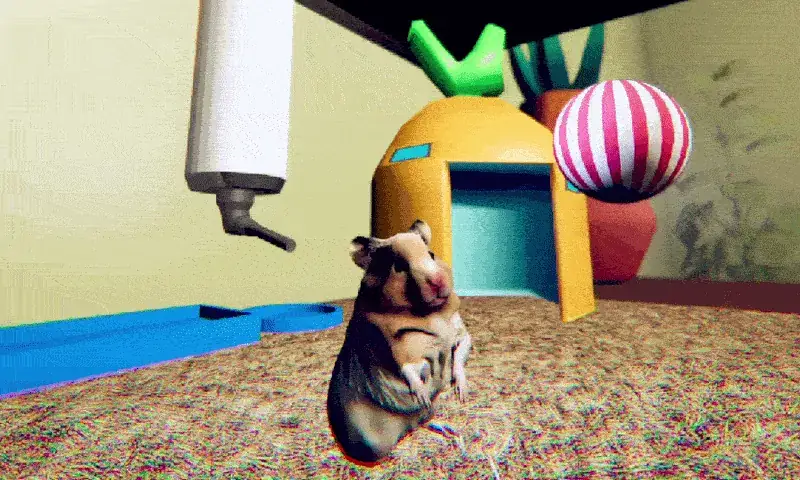
Then take a few seconds to establish a visual reference. Where is the cage? Where is the owner or the room beyond? Which props are close to the hamster? The official stills show a water bottle, colorful shelter, bedding, a ball, a wheel, and a larger bedroom. You should not assume every prop is interactable. Their value on a first run is orientation. A distinctive shape can help you notice if the camera moves, a route opens, or an unfamiliar element appears. Horror often uses the familiar as a baseline. Looking at the room before anything strange happens makes the later change easier to recognize.
Finally, decide how much outside help you want. If you want the surprise, read only the quick start and play. If you mainly want to avoid getting stuck, keep the controls and troubleshooting sections nearby. If you already finished and want to understand why comments emphasize the ending, continue through the interpretation sections. There is no ideal amount of guide reading for everyone. A guide can support a first play without scripting every reaction.
The three listed controls, explained carefully
WASD — Move. The letters form the common four-direction cluster on a keyboard: W generally sends the character forward, S back, A left, and D right relative to the game camera. The official page gives the cluster as movement but does not spell out camera-relative behavior. If your orientation feels odd, release the keys, observe where the hamster faces, and press one key at a time to understand the current direction. Movement is especially easy to misjudge when the player character is tiny compared with a large room. Use short taps near narrow edges, then longer holds in open areas. If a camera turn changes your sense of left and right, reset by looking at a familiar cage object.
Spacebar — Jump. The page identifies Spacebar as jump. Use it when a small obstacle or elevation suggests vertical movement. You do not need to spam it the moment you start. Watch what the hamster actually does: a successful jump, a blocked jump, and a jump made while too far from a ledge can look different. If a jump seems unresponsive in the browser, test focus before concluding the route is impossible. If the game displays a prompt that uses another input for a specific event, follow that prompt for that event. General control lists summarize common actions; they do not override scene-specific instructions.
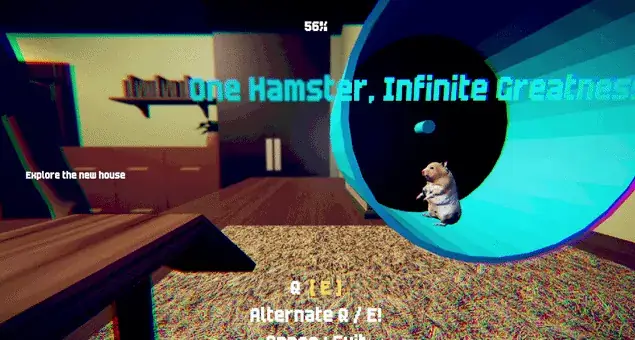
E — Interact. The official listing assigns E to interaction. In a short exploration game, interaction often means approaching something the scene draws attention to and pressing the key once. That is a general technique rather than a claim that every item in this game has a hidden action. If nothing happens, change your distance or angle, look for a prompt, and try a single deliberate press. Repeatedly hammering E while standing far away is less informative than checking whether you are close enough and whether the game window has focus. The creator's GIF of the wheel visibly includes on-screen prompt text, so attending to prompts is a grounded habit here.
The listing also mentions keyboard and mouse inputs, but the visible control list does not specify exactly how the mouse is used. It may be used for looking around or navigating a menu; verify in the build you are playing. Do not assume a controller layout, sprint key, crouch key, inventory button, or quick-save shortcut from genre conventions. The best input reference is always the current game's own screen. The most useful outside memory is simply move, jump, interact.
A spoiler-light way to explore the room
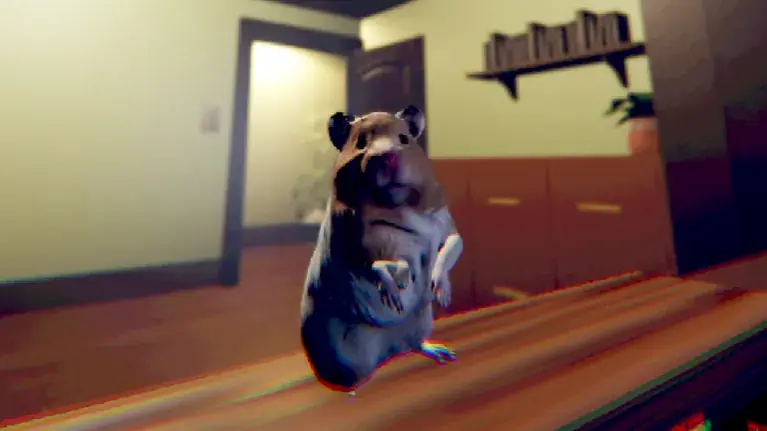
Begin with the room as a place rather than a checklist. The protagonist's scale changes what counts as a landmark. A bottle or shelter that would be minor background detail to a human can anchor the hamster's immediate surroundings. A doorway beyond the cage suggests a larger environment, but you should wait for the game to show how or whether to reach it. The available official pictures include the cage, the wheel, and the hamster on a ledge with a doorway in view. They support the idea that the room becomes important; they do not, by themselves, establish a precise route through it.
As you move, use a simple three-part loop. First, look for a visual change or written prompt. Second, approach the area that seems emphasized. Third, interact or jump only when that action has a visible reason. If nothing responds, step back and reassess. This loop keeps you from turning the experience into random key presses. It also protects the atmosphere. A short horror comedy often wants you to notice a joke or an unsettling detail before advancing. Rushing between objects can make the story feel less coherent than it is.
Pay particular attention to contrast. The release text says life starts simply in the owner's room, then the hamster notices something the owner cannot see. That tells you the story is interested in unequal awareness. The owner and hamster may occupy the same space while experiencing it differently. On a first run, you do not have to solve this as a mystery before you act. Let the character's situation inform where you look. If you see something strange, the creator's description encourages alertness and the performance of innocence. That is a tone cue, not a published stealth rule. There is no basis on the listing alone to claim that looking too long causes failure or that a particular meter tracks suspicion.
When you reach a new view, pause mentally for a second even if the game itself has no pause feature. You can stop pressing movement keys and simply observe if the scene allows it. Note the shape of the room and any text at the edge of the frame. Ask whether a route looks intentional: a ledge, ramp, opening, or interactive object usually has stronger visual design than a flat wall. If you misjudge a jump, use the last clear landmark to recover. The point is not to find a perfect path in the abstract; it is to read the space the game places in front of you.
This method also helps if you are playing through a small browser window. Tiny prompts are easy to miss. Fullscreen can make text legible; a direct tab can provide more room. If the image looks fuzzy, check whether the browser is zoomed unusually far out and whether the frame has finished loading. Do not mistake a technical display issue for intentionally obscure design. Once the picture is clear, return to the simple loop of look, approach, and act.
When you feel stuck: a reliable diagnostic ladder
Start with the cheapest check: does movement work at all? If no movement key responds, click the game window and try again. For a browser, confirm the loading screen has actually disappeared. If the game has an active menu, use the visible button or prompt to enter play. A frozen picture can be a network or loading problem. It does not mean you have reached a puzzle. If the Windows application is unresponsive, give it a little time and check whether another window covers it. The original download is relatively large for a short game, so loading behavior may depend on the computer.
If movement works, ask what was the last thing the game clearly requested? A visible line of objective text or an interaction prompt should outrank your memory of someone else's video. Read it literally. If the text says to explore, move through the currently accessible area before searching for an imagined code or key. If it highlights an object, approach that object. If you cannot read the prompt, enlarge the frame or adjust your view. The prompt is local and current; a guide can only give a general method.
Next ask am I close enough? Small playable characters can make distance deceptive. A prop that fills much of the screen may still be just outside the interaction zone, or the interaction target may be on another side. Move slowly toward it, stop, and press E once. Change angle if needed. The action should produce visible or audible feedback if it is relevant. If repeated attempts show nothing, move on rather than treating the object as guaranteed essential.
Then ask is height involved? Spacebar is officially a jump button. A gap, low lip, or elevated surface may invite a jump. Look at the geometry and use a deliberate attempt. If the hamster lands short, try a better approach angle. If it collides with an invisible boundary, the route may not be intended. This is general navigation advice, not a map of this game's collision surfaces. Avoid repeating the same failed jump without changing position; each attempt should teach you something about the space.
Finally ask has the scene changed? The official description centers on noticing what the owner cannot. A new visual element, a change in lighting, or a fresh line of dialogue can be more important than an object you have been chasing. Reorient from the current state. This is particularly useful after a comedic beat because laughter can make a player miss the next prompt. If you return to the same room view and do not know where to go, scan from left to right once, then check the text or the area that was just affected. Do not assume a hidden timer, invisible key, or second ending because you are momentarily unsure.
If the game genuinely fails to progress after these checks, try the alternate delivery route. A browser build may have a frame or focus problem. The original Windows build may behave differently from a separate web port. Keep the creator's page available for current release information. A public comment can be useful if it reports a specific bug in your version, but comments are not a substitute for observing your own build. If you ask for help, state which version you used, what the last prompt said, and what happened when you pressed the listed control. That makes the question answerable without spoiling the whole story.
A practical route through a first session
The official listing is intentionally brief, so this route is organized by decisions a new player can actually make, not by invented level names. The first decision is whether to enter through the Windows download or the browser window. Once you have a responsive game, identify movement and interaction. Look at the initial cage and read any text on screen. The released screenshots establish a cage scene with a water bottle, bedding, a colorful shelter, and a wheel. Each provides a visual anchor. Use the anchors to notice where you are as the camera changes. You are playing a small animal in a human room; scale is part of how the game draws your eye.
The second decision is how quickly to act. This is a short experience, but short does not mean you should hold the movement key continuously. Move enough to see what the game lets you see. When a prompt appears, treat it as an instruction. If you cannot reach something, test a jump once or twice from different positions. If E does nothing, look for a more precise point of interaction. This avoids two common frustrations: clicking everything randomly and concluding a story moment is a puzzle when it is waiting for you to see a cue.
The third decision is whether to chase an apparent threat or preserve the story's ambiguity. The creator says the hamster notices something the owner cannot. That premise suggests a mismatch between what you, as the hamster, know and what the other character perceives. It does not tell you to attack, hide behind a particular prop, or use an item. Watch the scene's direction. If the game asks you to act, act. If it gives you a moment to look, look. The gentle absurdity of being a hamster makes the horror stranger, and the tension works best when you let the game show its own rules.
The fourth decision comes when you think you are close to the end. The comments repeatedly praise the ending, and one specifically mentions the end-credits singing. That is enough to advise you to let the final sequence and credits play. It is not evidence that there are multiple endings or a post-credits collectible. If you leave immediately when a scene cuts to black, you may miss a joke or musical coda that other players discuss. If you prefer to avoid spoilers, do not read a detailed ending description first. The ten-minute estimate makes a full blind run a reasonable way to see it yourself.
The fifth decision is whether to replay. There is no save feature, so a replay starts fresh if you want to inspect details. A second run can answer questions that a first run leaves open: which on-screen line appeared before a change, where the unfamiliar element was placed, or how the game prepared a joke. Replaying is also a good way to capture a screenshot for personal notes, provided you respect the creator when sharing it. A replay should be driven by a concrete curiosity, not by an assumed achievement list. The release page does not publish an achievement or collectible list.
Reading the cage as a small playable space
The cage is the premise's strongest physical idea. To a human, a hamster enclosure is a contained object in a larger bedroom. To the hamster, it is home and the first landscape. Official images show a bright shelter, bedding, a water bottle, a striped ball, and a wheel. The familiar props establish a soft, almost toy-like baseline. That baseline makes any later interruption more visible. The game does not need to announce that the world is strange from the first second; it can let you settle into a recognizable animal space and then ask you to question the larger room.
On a practical level, start by noticing the difference between decoration and instruction. Bedding can tell you where you are without being an interactable resource. A ball can make the cage feel playful without having an inventory function. A wheel can be a landmark or part of a prompted action; its exact role depends on the current scene. If you see an interaction label, use E as listed. If you see no prompt, do not assume the object is mandatory merely because it looks colorful. In short games, art direction often has several jobs at once: mood, scale, and navigation. Treat visible props as clues to orientation first and mechanical tools only when the game confirms it.
The cage also changes the way you read the owner. The owner is nearby, according to the original description, yet does not see what the hamster sees. This creates a familiar comic setup: a tiny character may have more important information than the large human in charge of the room. It is funny because the situation reverses expectations, and uneasy because the hamster has limited ways to communicate. The instruction to "be cute" makes the ordinary pet role part of the story. You can understand the joke without inventing a dialogue tree or a stealth meter. The guide's safest advice is to pay attention to timing, not to claim an unseen score.
If you are disoriented by the camera, use cage landmarks to recover. Locate the shelter's color, the bottle's vertical shape, the wheel's circle, and the cage boundary. Then test one direction at a time. Tiny steps are often easier to judge than a long diagonal sprint. If the game lets you look out into the room, establish the position of the doorway or furniture. A clear mental map of just two or three landmarks is enough for a ten-minute story. You do not need a full drawn map unless you enjoy making one.
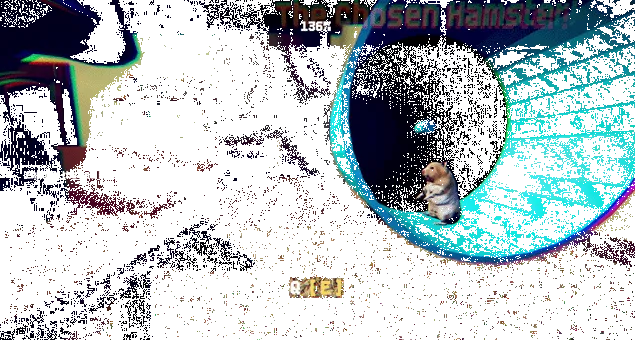
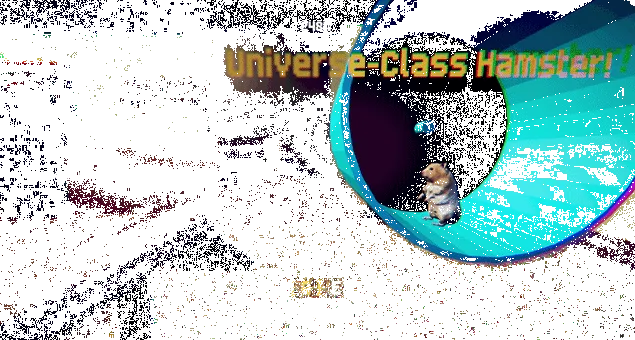
The official GIFs are especially useful for understanding why a screenshot can mislead. One captures a hamster by the shelter and a striped ball. Another shows the wheel with text over the room. In motion, the scene changes and the GIFs include visual noise and text changes. A still frame can freeze an amusing phrase or an unsettling effect that lasts only briefly. Do not treat the freeze as a permanent game state. The images below are there to recognize the visual language, not to provide a frame-perfect route.
Looking beyond the cage without inventing a map
The gallery on the creator's page includes views in which the hamster appears on a ledge with a doorway and darker parts of the bedroom nearby. It is fair to say that the visual scope reaches beyond the bright cage. It is not fair to turn those images into exact turn-by-turn instructions without checking the playable build. Screenshots do not show the path between locations. They do not prove that every visible door opens. They do not reveal whether a particular dark corner is optional or required. A guide should help you read the scene in front of you instead of claiming a map it does not have.
When the game shows a larger room, the hamster's body can be a useful measuring tool. A shelf, ledge, or doorway looks enormous compared with it. Before moving toward a distant point, identify one reachable intermediate surface. Move toward that surface and reassess. A long hold on W can send a small character past a narrow opening, especially if the camera angle is unfamiliar. Shorter movements also make it easier to see whether a prompt appears as you approach. If you think you have walked through an important trigger without noticing it, stop and scan the screen for fresh text.
The owner's room is also a story space. The official premise asks you to consider something the owner cannot see. That means background details can be meaningful even if they have no button prompt. Horror games often direct attention with lighting, sound, or a change in familiar arrangement. This is a general observation about the genre, not a claim that this game uses a particular hidden object. Watch the scene because the story wants an observer. If an image or sound feels out of place, you can take a moment to register it before proceeding. The small perspective encourages close attention to ordinary surfaces.
Do not feel obligated to search every pixel. The creator estimates roughly ten minutes, so the released experience is likely structured to move along at a readable pace. If you wander for much longer than that, return to the last explicit objective. A hidden door is less likely to be the intended next step than a visible prompt you missed. Use movement, jump, and interact in that order of confidence. Movement lets you inspect; jump handles physical obstacles; E handles a prompted object. This hierarchy can keep a short game pleasant rather than turning it into a frantic hunt for a secret key.
If you play through the browser, remember that a low frame rate, small display, or delayed input can make a simple route feel difficult. Try a larger window and close tabs that are consuming resources. If the direct link works better than the embedded frame, use it. If you want the creator's original release, download the Windows build from itch.io. These are ordinary delivery choices, not alternate story modes. They help you separate a gameplay obstacle from a technical obstacle.
What the comments tell us about expectations
The comments show a strong pattern: players liked the contrast between cuteness, odd humor, and horror. Several call the game adorable or funny; others mention a creepy atmosphere. One commenter says the concept of a hamster in a horror game is creative and enjoys the mix of funny moments and unease. Another calls the experience both fun and weird. Multiple commenters praise the ending, with one mentioning the writing and end-credits singing. These are impressions from individual players, not a poll of every visitor, but they are directly relevant to a guide because they reveal what the audience notices.
The comments also include the practical questions this guide should answer. Someone asks "how to play the game." Someone else asks what it is about. The release page has the answers, but they are easy to miss among videos and replies. The quick start therefore places the controls and platform at the top. It explains the difference between this site's browser window and the original Windows listing. It also presents the premise in one sentence rather than relying on genre tags. A player should not have to read thousands of words to find the basic inputs.
There is an important contrast in the reactions. Some players focus on the horror atmosphere, while many focus on how funny or cute the result is. That is a useful expectation setting tool. If you enter expecting a long survival horror campaign, the creator's ten-minute estimate and comic description point elsewhere. If you enter expecting only a cozy pet simulator, the premise explicitly adds an unseen presence in the room. The game promises a tonal blend. Letting both halves coexist is likely to make a first run more satisfying than trying to classify it as only one genre.
Several commenters refer to videos they made, and the release page contains many embedded video posts. That means some public reactions are performance-oriented: viewers may hear a creator's commentary, see edits, or arrive already knowing a joke. A guide for a player should be more careful than a highlight reel. A clipped laugh does not show the input that led to the scene. A reaction title may exaggerate for entertainment. Use videos to see pacing or solve a specific confusion, but use the official page and the game itself for the actual listed controls and state of the release.
The creator posted that work on Chapter 2 was underway at the time those comments were viewed. That is an update about intent, not a release date or a guarantee of features. If you have finished and want more, follow the creator's page for current information. Do not assume a second chapter is playable because a comment mentions it. Likewise, do not claim this first game has chapter selection unless your build displays it. Keeping these limits clear is respectful to both player and creator.
Public reception is varied, too. Most visible comments are positive, but one openly dislikes the game, and the creator replies that criticism is welcome and can inform improvements. A guide should not erase that difference. The game's humor, pacing, and abrupt tonal shifts may work very well for one person and not for another. If you are not enjoying it, you still deserve accurate controls and a clear description. If you love it, you can explain what appealed to you without claiming everyone must feel the same way. That is a better way to discuss a small creative work than repeating scores or memes as facts.
The premise without spoiling the payoff
You play a hamster in an owner's room. The hamster sees something the owner cannot. The creator's text asks you to stay alert, pretend you did not see it, and behave cutely. This setup contains the whole tonal conflict: the playable character is vulnerable and endearing, while the room contains an element that may be threatening or simply incomprehensible. The owner, who would normally be the source of safety, lacks the hamster's information. The player therefore carries awareness on behalf of a character who cannot explain the problem in human words.
That is enough story knowledge for a first run. You do not need to know the identity of the unseen thing, the exact sequence of jokes, or the final image. Curiosity is one of the reasons to play. A guide can prepare you to understand the frame, but it should leave the game room to surprise you. If you are introducing the game to a friend, the same sentence works: you are a hamster, you see something the owner cannot, and the short story mixes horror with comedy. Anything more detailed may be a spoiler depending on the friend's preference.
Why does the premise feel different from a standard haunted-room setup? The animal perspective does two things at once. It makes the ordinary room look bigger, and it gives the player a limited social role. A human protagonist might investigate, call for help, or confront a threat. A pet can move, jump, and interact, but it is still expected to behave like a pet. The creator's imperative to be cute turns that expectation into comedy. The same restriction also creates tension: noticing the wrong thing can feel dangerous when the human nearby is not aware of it.
The room matters because it begins as a familiar domestic space. A cage, bottle, toy, and owner imply routine. Horror becomes clearer when it interrupts routine rather than arriving in an already monstrous setting. The game's official cover and gallery lean into colorful, low-poly shapes. That visual style can invite a cheerful first impression. The story's unease comes from what does not fit that impression. You can appreciate the design without claiming a specific symbolic meaning for every object.
The humor matters for similar reasons. Absurd comedy lets the game undercut a frightening moment or make a bizarre situation feel playful. Comments that praise the ending and credits suggest the comic voice stays important through the finish. However, a guide should not turn those comments into an exact plot summary. Saying "expect an ending that many players found funny" is supported. Saying precisely what happens at each beat requires direct verification from play or a creator statement. This guide marks that boundary so that the premise remains clear without replacing the experience.
Keeping track of clues without overthinking them
For a ten-minute story, a very small note system is enough. If you want to remember what happened, track just three things: the current location, the last visible prompt, and the latest change that seemed unusual. You can keep them in your head. Writing them down can help if you are playing for analysis or making a video, but it is not required. The game has no published list of collectible clues, and this guide will not invent one. The aim is to reduce confusion, not to make a short story feel like homework.
The current location can be described with landmarks rather than coordinates: inside the cage near the shelter, by the wheel, on a ledge facing the doorway, or in a darker part of the room. These descriptions match the kinds of views shown in official images. If you move and the camera swings, identify one familiar shape. That simple anchor is often enough to recover. A precise compass direction is usually less useful when the camera can change.
The last visible prompt is the most actionable memory. If you see an objective line, read it once more when stuck. If a specific object displays an interaction hint, return to it and test E from a slightly different position. If a prompt disappears, it may mean you moved out of range or completed an action; the game itself will tell you through what changes next. Do not fill gaps with assumptions about invisible progress flags. Record what you saw, not what you hope a system is tracking.
The latest unusual change is more interpretive. Maybe a visual effect appears, a joke interrupts a tense scene, a sound changes, or an object seems differently placed. The creator's GIFs visibly play with text and visual noise, so watching for changes is sensible. But a glitch effect in a GIF does not necessarily mean your computer is broken or that a secret is hidden in every frame. First ask whether the game presents the change consistently. If it is part of the art, let it inform the mood. If the entire browser stops responding, troubleshoot the technical route.
This three-part note system also makes conversations with other players clearer. "I'm stuck" is hard to answer without spoiling everything. "I'm in the cage near the wheel, the screen says to explore, and E has no effect by the bottle" gives someone enough context to suggest a next check. It is also easier to search for a specific issue if you know the displayed words. When posting publicly, hide ending details if the audience has not asked for spoilers. A small game can be damaged by an over-explicit help request in the first visible comment.
Browser play: a focused troubleshooting guide
The embedded window on this site is designed as a convenient way to start, but it introduces browser-specific failure points. The game runs on a separate host inside an iframe. If you see the cover button, the game has not been requested yet; press Load Game. If you see a blank frame after pressing it, wait for initialization before testing keys. A large Unity-based browser build can take longer than a normal article or image. If the frame stays blank, use Open directly beneath the window. The direct link removes the iframe layer and is the first useful comparison.
If the direct link loads but the embedded frame does not, the difference may be frame policy, browser privacy settings, blocked third-party resources, or a temporary host issue. You do not need to change security settings just to complete a short game. Use the working direct route. If neither route loads, the remote browser build may be unavailable at that moment. The official Windows download remains a separate option on the creator's page. A failed web port does not say anything about the quality or state of the original Windows release.
If the game image appears but keys do not work, click inside the playing area. Browsers keep focus on the last clicked control, which may be the load button, the address bar, a social link, or another tab. Test W briefly. If nothing changes, try A or D once, then look for a title menu or prompt that may need a click. If Spacebar scrolls the webpage, focus is almost certainly outside the game. If the browser uses Spacebar for its own UI, clicking the actual canvas is especially important. Fullscreen can help by keeping the playing area in view, but fullscreen by itself does not prove keyboard focus.
If the image is present but very small, turn the device to landscape or open the direct link. On a desktop, enlarge the browser window or use the page's fullscreen control. Tiny text is a real source of avoidable confusion because the game may put instructions in the scene. A guide cannot compensate for an unreadable prompt. Keep the whole game visible so you can spot new text at the edges. Zooming the browser can sometimes distort a fixed-size game canvas; if that happens, reset zoom and use fullscreen instead.
If sound is absent, check browser tab mute, system output, and volume before assuming the game is silent. Some browsers limit autoplay sound until you interact with the page. A click inside the game can enable audio in a normal user-initiated way. If sound is too loud, reduce device volume first. This guide does not assert that the game has an audio settings menu because the release page does not list one. Sound matters to comedy horror, but it should remain comfortable.
If performance is uneven, close unnecessary heavy tabs and let the game finish loading. A single frame can appear before all resources are ready. A desktop computer or laptop may offer a steadier experience than a constrained mobile browser, although exact performance depends on hardware and the web build. Do not repeatedly reload during startup unless it has clearly stalled; each reload may begin the download again. If you use a metered connection, remember that browser game assets can be much larger than the cover image. The Windows ZIP is listed at 319 MB, while the web route's transfer size may differ.
If input works in the direct tab but not in the embed, continue in the direct tab. The page's purpose is to make the game accessible, not to force one frame. If your browser blocks popups, clicking the explicit direct link should still open a user-initiated tab. If it does not, copy the visible destination and open it normally. Keep the creator's itch.io page bookmarked so you can verify the official Windows release. The troubleshooting order is simple: load, wait, focus, enlarge, compare direct tab, then try the original download if appropriate.
Windows download: a practical checklist
The original release is a Windows download on itch.io. On the creator's page, use the Download Now button and follow the site's current steps to access You Are Hamster.zip. The listing's file size is around 319 MB, so allow sufficient space for both the archive and extracted files. The final installed footprint may be larger than the compressed ZIP. Save it somewhere you can find again, such as a chosen games folder or Downloads, and remember which folder you use. If the browser warns that the download is incomplete, let it finish before opening it.
After the ZIP has arrived, extract it. On Windows, the built-in Extract All action or a familiar archive utility can do this. Choose a folder with a straightforward path. Keep every file from the archive together. Games made with Unity often rely on files next to the executable; moving just the application file to the desktop can break loading. This is a general installation precaution, not a claim about a specific unseen file inside this archive. Once extraction is complete, open the extracted folder and launch the application it contains.
If Windows displays a security prompt, read the publisher and file details. Downloading from the creator's original itch.io page is a safer provenance check than taking a copied executable from a video description or file-sharing mirror. This guide does not ask you to bypass browser or operating-system security warnings. If a warning seems serious or the file's source is unclear, return to the original page and verify what you downloaded. A guide can help you identify the correct source, but it should not override your computer's protections.
If the game opens to a blank or frozen window, wait briefly for initialization. If it remains unresponsive, close it through normal operating-system controls and try again from the fully extracted folder. Check available disk space and whether security software quarantined part of the archive. If the game displays an error message, note its exact wording. A screenshot of the error, your Windows version, and the source of the ZIP are more useful in a support question than "it doesn't work." If a current creator post provides a new build, use that rather than an old copied archive.
If the game opens but keys do not move the hamster, click the window and look for an initial menu. Confirm that the keyboard layout sends W, A, S, and D in the expected positions. If you use an alternate keyboard layout, the physical key positions may feel different; the game's own prompts are the authority for that build. Try one movement key at a time. If the character moves only when another application is closed, focus is likely shifting. Disable unrelated overlays only if you already know they interfere with games, and restore your usual settings afterward.
If the game looks stretched or tiny, use normal Windows display controls or game options if they are visibly offered. Do not assume undocumented command-line flags or configuration files. On a laptop, a larger external monitor is optional, not a requirement. The art's color and scale should be readable on an ordinary screen. The practical goal is to see the prompt and the hamster, not to obtain a competitive advantage. Once the image and controls work, step away from troubleshooting and enjoy the story.
What "no pause or save" means for a player
SeenThai explicitly states that the game has no pause or save feature. This is a small line on the release page, but it changes how to plan a first run. You cannot count on leaving halfway and returning to the same spot. Start when you have more than the rough ten-minute estimate available. A fifteen- or twenty-minute quiet window gives you room to load the game, adjust focus, read text, and let the ending finish. The estimate is about typical completion, not a demand to speedrun.
No pause also means you should handle interruptions before you begin if possible. Put a drink nearby, silence a distracting alert, and set audio where it is comfortable. If you need to step away, you may be able to release the keys and leave the scene still, but that is not the same as a guaranteed pause. This guide does not claim the game has a safe idle state in every sequence. If an interruption is unavoidable, your real life takes priority. A short replay is usually easier than forcing yourself to keep playing when you need a break.
No save makes a second run a clean replay rather than a menu choice from a checkpoint. That can be enjoyable with a short story. On the first run, follow the main flow and notice the overall joke. On the second, watch a background detail or compare how the early cage scene prepares the later mood. Do not assume replay unlocks a hidden mode. The release page does not promise one. Treat replay as a chance to observe, not as a compulsory completion task.
For a player recording video, no pause changes preparation as well. Set up capture, microphone, and storage before starting. Check that the game window is actually being recorded, then begin. If you need a clean screenshot of a specific moment, you may need to replay to capture it. That is a practical consequence of no save. It also suggests a respectful approach to spoilers: a thumbnail can use the hamster or cage without exposing the final gag. The creator's official art provides such images, and the site already credits their origin.
For a player with accessibility needs, the no-pause design may be a real limitation. The release page does not document remapping, subtitles, audio controls, or accessibility settings, so this guide cannot promise them. You can still make external adjustments: a comfortable display size, lower system volume, a quiet environment, and the delivery route that gives you the most reliable input. If you cannot play comfortably, a no-commentary video may let you experience the story at your own pace through the video player's pause and captions where available. That is a viewing alternative, not equivalent to direct control, and its accuracy depends on the video.
If you are using a phone
The creator's original listing says Windows. This site's browser link is separate and may present touch controls, but the exact layout can change by device or build. Start in landscape to give the game more horizontal room. If the embedded frame is clipped, use Open directly. Wait for the page to load before repeatedly tapping. If the browser's navigation bars cover part of the game, fullscreen or a direct tab may help, depending on the browser. Follow on-screen touch prompts if they appear; the published WASD, Spacebar, and E list describes keyboard input on the original page.
Touch can make small movements harder than a keyboard. Tap or drag carefully according to the actual controls displayed. Do not treat a missed virtual button as proof that an action is unavailable. If text is too small to read, rotate or use a larger screen. A short comedy horror game depends on timing and readable cues. If your phone becomes hot or the frame rate collapses, stop and try a device that can run the build comfortably. The original Windows download may be the more reliable route for a player with access to a Windows computer.
Mobile audio may behave differently because browsers often require a tap before playing sound. A single deliberate interaction with the game can activate it. Check the device's silent mode and output route if you hear nothing. Use headphones if you want private sound, but keep volume safe for jump scares. This guide cannot guarantee the mobile browser build's behavior on every phone, so frame your troubleshooting as comparison: does the direct tab work, does landscape help, and does the game itself show touch instructions? Those observations are more useful than a generic claim that the title is "mobile compatible."
If a mobile browser reclaims memory and reloads the page when you switch apps, the no-save design becomes more noticeable. Avoid switching away during the run if you want to finish in one sitting. A ten-minute session is short enough to plan around that limitation, but it may still be frustrating. If you need frequent interruptions, watch a recorded playthrough or use the Windows version when you can sit down at a computer. The game's story does not depend on a phone; the phone route is an extra convenience offered by this site.
What to do after a failed jump or missed interaction
Failure in a small scene is information. If a jump falls short, ask whether you started too far away, approached at an angle, or aimed at a surface that only looks reachable from the camera. Move to a stable place and look again. One small correction is more useful than ten identical attempts. The official control list tells you Spacebar jumps; it does not tell you that every ledge is reachable or that every jump requires perfect timing. Keep your interpretation modest until the game responds.
If E has no effect, the most common possibilities are focus, distance, angle, and relevance. Check focus by testing movement. Check distance by stepping closer. Check angle by approaching from another side. Check relevance by looking for a prompt or visual highlight. If all four checks fail, leave the object alone and inspect another part of the scene. This avoids the common trap of treating a decorative prop as a mandatory puzzle because it is colorful or central in a screenshot. It also keeps the game moving at the pace of a short story.
If you seem to have lost your place, use a visual landmark and the last instruction. In the cage, the water bottle, shelter, and wheel are easy anchors. In the larger room, a doorway or prominent piece of furniture can orient you. Stop moving while you read any text. Then choose one action based on the current view. The small protagonist's scale can make a short distance look long and a low obstacle look tall. Careful observation is more reliable than guessing from a still image in an article.
If an action triggers a comedic or frightening beat, let it finish. Pressing interact repeatedly during an animation may be unnecessary or could make you miss text. The comments suggest that many players enjoyed the writing and ending; those are reasons to pay attention to presentation, not just inputs. Once the scene settles, scan for the next prompt. If the game has moved you to a new location, orient before pressing a direction. The habit of waiting for feedback is useful in any short narrative game and especially useful here because the published story relies on contrast and timing.
If you conclude that a particular build is genuinely stuck, document it accurately. Record the delivery route, what the screen showed, which button you pressed, and whether the same issue happened after a fresh run. The creator's comment thread shows openness to criticism, but a concrete report is kinder and more actionable than a vague complaint. A short replay can help determine whether the issue is repeatable, although no one is obligated to replay just to prove a bug. The guide's job is to help you make a good next decision, including the decision to stop troubleshooting and return later.
A spoiler boundary before discussing the finish
From this point onward, the guide discusses the shape of the ending and the public response to it. It does not reproduce the ending scene beat by beat. If you have not played and want the strongest surprise, stop reading here, return to the game, and let the credits finish. The comments include explicit praise for the finale and one reference to end-credits singing. Those observations are enough to change expectations: the ending is a substantial part of why people recommend the game. They are not a license to claim a certain number of endings, a hidden scene, or an exact sequence of final events.
Spoiler care matters more in a ten-minute game than in a long campaign. A detailed description of the last minute can cover a large fraction of the whole experience. That is why this guide gives practical help first. If you are stuck before the end, use the diagnostic ladder rather than jumping to a video timestamp labeled "ending explained." If you are already finished, the discussion below can help you name why the tonal swing worked for you, or why it did not. Neither reaction requires pretending that a private interpretation is an official plot fact.
The official description itself prepares the broad turn. A cute pet sees something a human cannot. The player is told to pretend not to have seen it. That is an unusual instruction because it describes behavior and emotion together: awareness plus performance of innocence. The ending can then be judged by how it pays off that setup. Did it use the hamster's perspective? Did it mix comedy with dread? Did it keep the owner's limited awareness relevant? These are questions for interpretation, not facts asserted about unseen scenes. They let you discuss the structure without spoiling an image or line for a newcomer.
Public comments show that the final impression is often playful. One player calls the ending hilarious; another praises writing and an end-credits song. The creator thanks people for liking the ending. That is good evidence that the ending was intentionally noticed and appreciated by some players. It does not prove universal acclaim or reveal the mechanics leading to it. A guide that claims "everyone loved the ending" would overstate the visible record. A better statement is that the ending is a recurring topic in the release-page discussion, and the credits are worth allowing to play.
If your own reaction is mixed, look back at expectations. A player seeking sustained fear may be surprised by absurdity. A player seeking only a cozy pet game may be surprised by unease. The creator advertises both. The ending's job may be to bring those tones together or to turn one against the other. You can decide whether the result worked for you. The guide can point to the declared tone and public response, but it cannot settle a subjective judgment. A brief game has room for a punch line, and a punch line can divide an audience without being a bug.
Why the hamster perspective changes ordinary horror
Horror frequently gives the player a limited body: a child, a trapped person, someone without a weapon, or a character who cannot communicate. Here the limitation is comic from the start because the body is a hamster. That choice changes scale, social power, and expectation at once. The cage is not merely a prison in the usual dramatic sense; it is also a pet's home. The owner is not simply an obstacle; the premise says the owner cannot see what the hamster sees. A domestic relationship becomes the frame for something strange. This is why the game can be cute and uneasy without alternating between two unrelated modes.
Scale is the first visible effect. An exercise wheel becomes architectural. A water bottle is a tall object. A doorway is far beyond a little animal. The official game captures are enough to see this contrast. The little body also affects pacing: a player may spend time crossing a surface that a human character would ignore. That physical change can make a single room feel like a journey. It is a simple design economy for a short game. The creator does not need to build an enormous world if the protagonist makes a bedroom enormous.
Social power is subtler. A pet is watched, named, and cared for by a human, but may not be believed as a witness. The creator's line about noticing something the owner cannot see turns the hamster into the most informed character in the room. It also turns the owner into a source of dramatic irony: the player knows something is wrong while the person who could normally act on it remains unaware. The instruction to act cute suggests a performance for that observer. It is a funny idea, but the humor rests on a stressful mismatch. The hamster has awareness without easy authority.
Expectation makes the tone flexible. A hamster protagonist can invite gentle slapstick. The same smallness can invite fear because the animal is vulnerable. Low-poly art and bright props can support both: they make the scene approachable, then let an abnormal detail stand out. This is an interpretation of the published premise and imagery, not a hidden developer note. You might read the game differently after playing. The useful point for a guide is that the visual cuteness is not a promise of safety, and the horror premise is not a promise of relentless seriousness.
This perspective also helps explain why viewers enjoy reaction videos of the game. A streamer can speak as a human while controlling a creature that cannot speak for itself. The distance between player commentary and hamster role is inherently funny. A sudden scare is amplified because the onscreen hero remains tiny and cute. Commenters who mention editing videos or sharing first playthroughs are responding to that performative potential. A guide should still prioritize the original experience: watch a video if you want to see someone else's timing, but play once blind if you want to feel the perspective yourself.
Comedy horror: how to let both tones work
The creator labels the game as story-driven horror mixed with absurd comedy. These are not mutually exclusive promises. A joke can lower tension before a frightening image, and fear can make a silly response feel more relieving. The player's role as a hamster provides a natural comic baseline. You can laugh at the scale of a wheel or the gap between a pet's concerns and a human's concerns, then feel uneasy when the same room no longer seems ordinary. The tonal turn is part of the design advertised on the original page.
For a first play, resist the urge to decide immediately whether the game is "really" horror or "really" comedy. That question can flatten the experience. Instead, notice the order in which the tones appear. What feels harmless at the start? When does a familiar object or view feel different? Does a joke arrive before or after tension? Did you laugh because the situation was safe, or because laughter released discomfort? These questions are not a puzzle solution, but they can make a short story more interesting on replay. They also let you describe your reaction more precisely than a single genre label.
The public comments offer examples of varied emphasis. Some call the game creepy, weird, or a horror experience. Others call it adorable, funny, or pure fun. Several mention both in the same breath. This suggests that the blend was legible to many people even if they favored one side. It does not mean every player liked the balance. The negative comment and creator's gracious reply are reminders that humor is personal. If the jokes did not land for you, that is an ordinary critical response. If they did, you can identify the contrast that made them land rather than declaring the game objectively perfect.
The ending's reported comic effect fits the same pattern. A short game can build a creepy premise and close with a laugh. The comments' references to credits singing suggest that some players stayed through the formal end of the game and enjoyed that coda. If you stop at the first apparent ending frame, you may miss part of the intended tone. Let the credits run before deciding what the whole experience was doing. This advice is based on public reaction, not a claim about a secret post-credits scene.
When sharing the game, describe the mix honestly. "A short hamster comedy horror game" is more useful than "the scariest game ever" or "just a cute pet game." The original listing already gives a rough length and no-save warning, so include those if your friend wants practical expectations. Avoid explaining the payoff in the recommendation itself. A sentence about the premise and a link to SeenThai's page are enough. Let the recipient discover how the tones move.
A careful way to discuss the ending after playing
Start with what you directly saw. What did the final scene show in your build? What did you hear during credits? What words appeared on screen? Separate those observations from your interpretation. If you write "the ending made me laugh because the hamster's role suddenly felt different," that is a personal reading. If you write "the game has three endings," that is a factual claim requiring evidence. The release page and visible comments do not provide such an ending count. Accurate discussion is more interesting than a confident but unsupported secret guide.
Next, connect the ending to the opening. The official premise sets up a discrepancy between hamster and owner. A satisfying interpretation can ask whether that discrepancy mattered at the end. It can also ask whether the game's absurdity was present from the start or arrived as a reversal. You do not need a literary theory vocabulary to do this. Simply compare your first impression of the cage with your final feeling about the room. Did a harmless object acquire another meaning? Did your attitude toward the owner change? Did the small body feel empowering, helpless, or both? Those are interpretive questions, and different players can answer differently.
Then consider the credits. One public comment specifically praises the singing at the end, while another jokingly criticizes it. That difference is a useful reminder that a comic coda can be divisive. You can discuss the music as part of your own experience without claiming an official soundtrack release or a particular singer if you have not verified one. If you share a recording, give viewers a spoiler warning before the finale. If you write a review, you can mention that the credits contain a memorable audio gag without reproducing it in full.
Finally, leave room for the creator's future work without treating it as an answer key. SeenThai says Chapter 2 is being worked on in a comment. A sequel might expand themes, change mechanics, or do something unrelated; the visible statement does not specify. Do not reinterpret every ambiguous moment as a confirmed sequel clue. Enjoy speculation as speculation. This matters because a short story can be complete as it stands even when a creator plans another chapter. The current game can be discussed on its own terms.
A second playthrough with a purpose
Because the game is short and has no save, a replay is an approachable way to answer a specific question. Pick one focus before restarting. You might track every on-screen instruction to see how the game teaches controls. You might compare the bright cage images with the darker room images. You might listen for the first moment the soundtrack changes. You might watch the owner's position or reactions, if they are visible in your build. One focus keeps the replay fresh and reduces the temptation to invent elaborate systems from incidental details.
On an instruction-focused replay, note what the game tells you to do and when. The release page lists WASD, Spacebar, and E, but the game may present contextual text. Write down the wording only if you are preparing an accurate guide for your own use. If a prompt is hard to read, take a screenshot during the replay rather than guessing afterward. Compare the prompt with the result of pressing the relevant key. This method can reveal whether your first confusion came from missing text, losing focus, or misunderstanding the space.
On a visual-focused replay, watch the relationship between cage and room. The official GIFs show bright props and a large wheel; the gallery stills show a ledge and darker bedroom. Ask how the camera frames those spaces. Where does it invite your eye? Does the hamster remain central, or does the background take over? Are unsettling changes signaled by color, motion, or text? These are observations you can make without a hidden collectible list. They can also improve a video essay or review by grounding your ideas in visible moments.
On a tone-focused replay, listen for how jokes and unease alternate. The public comments provide a map of reactions but not a timeline. You can make your own timeline after playing: charming opening, first unsettling cue, comic interruption, later escalation, ending, credits. Your labels may differ. The point is to see how the short form works. A ten-minute game has little time to establish and reverse expectations. Notice which detail does the most work for you.
On a technical replay, test only one variable at a time. If the browser frame had lag, try the direct tab. If a phone view was cramped, try landscape or a larger device. If audio was absent, check the output before launching. Do not conclude a story variation exists because two delivery routes had different load times. If the game itself visibly changes between builds, note the build or URL you used and look for a creator update. The original release is the most reliable reference for current official information.
Questions prompted by the original comments
What is the game about in one sentence?
You play a hamster in the owner's room and notice something the owner cannot see, in a short story that mixes horror with absurd comedy. That sentence is drawn from the creator's description. It says enough to orient a newcomer without explaining the payoff. The visual premise is a small animal in a familiar room, and the emotional premise is unequal awareness: the hamster knows something is wrong while the nearby human does not. If you recommend the game to someone who dislikes spoilers, stop there. A reader seeking a detailed plot can find recorded playthroughs after deciding whether to experience the ten-minute story firsthand.
How do I play if I have never used itch.io?
Open the creator's game page, press the visible download button, and follow the site's current flow to the Windows ZIP. Read each screen; the page labels the game as name your own price, and the available continuation options are shown by itch.io. Download the file, extract the ZIP, and launch the application from the extracted folder. Keep the companion files in place. If you prefer the browser route, this independent site has a Load Game button and a direct link. Those routes may differ technically, so identify which one you are using before asking for support.
Is this page the official release?
No. SeenThai's itch.io page is the original release page and the source for the game's listed platform, story description, controls, estimated duration, and images. YouAreHamster.com is an independent companion with an embedded browser window, screenshots, and an English guide. When the two pages differ, use the creator's page for official release information. This guide links to it repeatedly so a reader can check the primary source. The independent page can still be useful for quickly finding controls and troubleshooting a browser frame, but it should not present itself as the developer's announcement channel.
Is the game free?
The original page currently labels the download name your own price. That phrase is an itch.io purchase model, and the exact steps offered can change. Follow the visible checkout or download flow on the creator's page rather than relying on this guide to promise a particular price or button. If you choose to pay, that is between you and the creator through the platform. The embedded browser version here is a separate link and does not change the terms of the original download. Always check the current page before making a purchase decision.
What platform does the developer list?
The original listing says Windows. It also marks keyboard and mouse as inputs. This site's browser frame is an additional route supplied for the independent page and may be usable on some phones or desktop browsers, but the creator's published platform claim is Windows. A mobile browser may have a different control layer or may not run well on a given device. If you need the most faithful route described by the developer, start with the Windows ZIP from itch.io. If you try the browser route, treat it as a convenience and follow any controls it displays.
How long should I reserve?
SeenThai says the experience takes about ten minutes. For a first run, reserve a little more time for download or loading, controls, reading, and credits. Fifteen to twenty minutes is a comfortable planning window for many players, but it is not an official duration. A person who reads every prompt slowly or needs to recover from a missed jump may take longer. Someone replaying with the route in mind may take less. The important published limitation is that the game has no pause or save feature, so begin when an interruption is unlikely.
Can I pause or save?
The creator says there is no pause or save. Do not rely on a browser tab sitting idle as a substitute for a real pause, and do not assume progress survives closing the game. If you need to stop, you may have to start again. Since the game is short, a fresh run is more manageable than it would be in a long campaign. Make your first session comfortable before you press play, and allow the credits to finish if you want to see the final coda that commenters discuss.
What are the controls?
WASD moves, Spacebar jumps, and E interacts. Those are the three controls explicitly published by SeenThai. The listing also includes mouse among the inputs but does not spell out a mouse action in the visible control list. Use the current game's own prompts for any context-specific instruction. In a browser, click inside the game window if keys seem to scroll or type in the page instead. If you use a different keyboard layout, verify which physical keys the build recognizes. Avoid assuming common horror-game extras such as sprint or crouch without an in-game indication.
Why does Spacebar scroll the page instead of jumping?
The browser page probably has keyboard focus. Click once inside the playable frame and try again. If a loading overlay is still present, wait until the game itself appears. A direct tab may make focus easier than an iframe. If Spacebar still scrolls after clicking the canvas, try fullscreen and inspect whether a browser extension or accessibility feature is capturing the key. This is a browser input issue; it does not prove that the jump button has changed. The Windows application should similarly be the foreground window before keyboard input reaches it.
Why does E do nothing?
First confirm that movement works, which tests focus. Then look for an interaction prompt and move closer to the likely target. Change your angle slightly and press E once. If the scene gives no feedback, the object may be decorative or the action may belong somewhere else. The official page only says E is interact; it does not claim every prop responds. A water bottle, ball, or shelter can provide atmosphere without being a required switch. Use the current prompt as your strongest clue and avoid repeatedly pressing E at an object that never reacts.
Do I need to find every object in the cage?
The release page does not publish a collectible list or an inventory objective. The official images show several recognizable cage props, but visibility does not establish mechanical importance. Explore enough to understand the space and respond to explicit prompts. If you are stuck, inspect the area the game highlights instead of systematically clicking every object. A short narrative experience can use props to build perspective and tone rather than to create a scavenger hunt. If your build shows a specific objective, follow that objective over this general advice.
Is there combat?
No combat control is listed on the creator's page, and the description emphasizes alertness, cuteness, horror, and comedy. That is not a proof that no confrontational moment exists anywhere in the game, but it is not a basis for telling new players to fight. Start with movement, jump, interaction, and observation. If the game later displays a specific action, use the on-screen instruction. Inventing a combat system because the title has a horror tag would make the guide less accurate. The hamster perspective itself may be the primary source of tension.
Is there a map or inventory?
Neither is documented in the visible release-page controls. Do not build your first-run strategy around an assumed map screen or item menu. The official screenshots show a small environment with strong visual landmarks, which you can use for orientation. If your current build presents a map or inventory, it will show how to access it; follow that direct evidence. This guide uses a mental map of cage, wheel, ledge, and doorway because those are visible in creator-published images, not because it has verified a complete level layout.
Are there multiple endings?
The release page does not state an ending count. Commenters talk about "the ending" and praise it, but that phrase does not prove there is only one ending or that there are many. Treat claims of secret endings with care unless they include direct footage, a creator statement, or evidence from the build you are playing. A first run should focus on finishing the story and letting the credits play. If you later notice a meaningful choice, you can replay to test it; just avoid presenting speculation as a confirmed route.
Should I keep watching after the final scene?
Yes, if you want the whole presented experience. At least one commenter specifically praises end-credits singing, and another reacts to the singing with a joke. The comments show that the credits were memorable to some players. They do not establish a hidden scene after the credits, so do not wait for one as a guarantee. Let the audio and credits finish, then decide whether to replay or visit the creator's page. In a ten-minute game, the credit sequence can be part of the tone rather than a purely administrative screen.
Is Chapter 2 already available?
The creator posted in the comments that Chapter 2 was being worked on. That statement does not include a release date, platform, download link, or final feature list. Check SeenThai's current page for updates. Do not download a purported sequel from an unrelated mirror just because a comment anticipated it. This guide is about the first released game and will not describe a second chapter as playable without a verified creator link. The anticipation in comments is part of the community response, not evidence of a shipped build.
Does the game use AI-generated art?
The original itch.io listing marks the game's content as using no generative AI. The images on this site are original creator-published art or captures, with four new stills extracted from the creator's GIFs. The site does not use AI-generated replacement art for the guide. That provenance matters because an invented image could mislead a player about a scene or object. Even authentic stills need careful captions: an image can show what was visible at one moment, not the rules of the game or the order of every event.
Why does the game look glitchy in some images?
The creator-published animated GIFs include visible noisy or glitch-like frames. A selected still can make that effect look more permanent than it is in motion. This guide identifies those stills as frames of the original animation. It does not diagnose the visual effect as a hardware failure, nor does it claim every build has the same timing. If your whole game freezes or corrupts beyond the intentional imagery, troubleshoot the browser or Windows route separately. A short GIF is evidence of published visual style, not a performance report for your computer.
Can I use a controller?
The original listing names keyboard and mouse, and it publishes keyboard controls. It does not provide a controller mapping. A controller might work through a separate browser layer, operating-system mapping, or later build, but this guide cannot promise it. If you need controller play, check the game's current options and the creator's updates. For an accurate first attempt, use the listed keyboard controls. If you remap inputs through external software, remember that the on-screen prompts may still show the original keys, which can make a short sequence more confusing.
Is the game suitable for someone who dislikes horror?
The creator labels it horror and says the hamster notices something the owner cannot see. Public comments mention creepiness alongside humor. Only you can judge your comfort with that mix. The game is short, colorful, and often described as funny, but those qualities do not remove the horror premise. If you are uncertain, lower the volume, play in a comfortable setting, or watch a small spoiler-free clip before deciding. A guide should give the declared tone honestly rather than promising it is harmless or frightening for everyone.
Why do reactions disagree about the ending?
Humor and horror depend heavily on timing and expectation. A comic credit sequence can delight one person and feel too silly to another. The visible comments contain both enthusiasm and a joking complaint about singing, as well as a broad negative comment about the game. That range does not require one side to be wrong. Consider what the game advertised: a short blend of absurd comedy and story-driven horror. If the ending made the blend work for you, describe the moment that connected them. If it did not, explain which expectation the ending left unmet.
What if the browser game never finishes loading?
Try the direct game link under the embedded window. A direct tab may work when an iframe fails, and it also gives the canvas more space. If neither route opens after a reasonable wait, the separate web host may be unavailable or your browser may be incompatible at that moment. The creator's original Windows ZIP is another route. Avoid repeatedly refreshing a large game on a limited connection, and do not install random browser extensions to force it to run. Note which route failed and any visible error before seeking help.
What if I can move but cannot advance?
Read the current objective or prompt, then look around the accessible space once at a slower pace. Approach the most emphasized area, try E if an interaction cue appears, and use Spacebar where an obstacle genuinely suggests a jump. Check whether the scene changed after your last successful action. If you are in a browser, make sure lag has not delayed feedback. This method is intentionally general because the creator's public page does not contain a verified step-by-step route. An exact answer to a specific stuck point needs the prompt and scene you are seeing.
Where should I look first in the cage?
Use the bright shelter, water bottle, bedding, striped ball, and wheel as landmarks. They are visible in creator-published imagery. Read the on-screen objective and move toward the area it emphasizes. If you see a prompt near an object, try the listed interaction key. Do not assume every prop has an action, and do not turn the cage into a checklist unless the game gives one. The main practical benefit of surveying the cage is that you establish how the normal space looks before the horror-comedy premise changes your attention.
How do I know whether a visual effect is part of the game?
Compare it with the game and with creator-published captures. The two official GIFs include moments of visible noise and distorted imagery. If the effect appears briefly and the game continues normally, it may be intentional presentation. If the entire frame remains frozen, input fails, or a browser error appears, troubleshoot the delivery route. A still screenshot can exaggerate a momentary effect, so judge it in motion when possible. Do not assume a hidden clue in every noisy frame or dismiss every unexpected image as a rendering problem.
Do I need to watch a walkthrough first?
Probably not if you can spare a first ten-minute session. The official controls are simple, and the unusual premise is part of the attraction. A video can be useful if you cannot run the game, need to see a specific interaction, or prefer to experience horror through someone else's playthrough. If you are stuck, watch only enough to resolve your current point, then return to the game. A full video may reveal the ending and credits before you have a chance to encounter them yourself. There is no requirement to play blind; it is simply an option that protects surprise.
Can I record or stream it?
Many commenters shared videos or described recording their play, which shows that players are doing so. That does not replace checking the creator's current usage terms if you plan commercial publication. For a practical recording, set up capture before starting because the game has no pause or save, check that the right window and audio are captured, and allow credits to play. Use a spoiler-light title or thumbnail if your audience might want to play. Link the original itch.io page so viewers can find the creator's release.
What should I tell a friend before they play?
Give the premise, controls, length, and one useful warning: it is a short comedy horror game, you play a hamster in the owner's room, WASD moves, Spacebar jumps, E interacts, and the creator says there is no pause or save. That is enough for an informed start. Avoid repeating the ending jokes, explaining the strange thing in the room, or sending a video thumbnail that shows the finale unless the friend asks for spoilers. The game is short enough that discovery is a large part of its value.
Are the review scores on itch.io a guide to difficulty?
No. Ratings and enthusiastic comments reflect enjoyment, not a measured difficulty scale. A player can love a game and still struggle with browser focus or a narrow jump. Another can finish quickly and dislike the humor. Use the listed controls and estimated duration for practical planning; use comments to understand tone and reception. The visible rating can also change over time, so avoid treating a captured number as a permanent property of the game. Your own comfort with the premise matters more than a score.
Why is the owner important if I control the hamster?
The creator's description says the owner is in the room but cannot see what the hamster sees. That makes the owner a point of comparison: the player has knowledge that a nearby human lacks. The owner's presence can make the hamster's smallness funny and unsettling at the same time. A guide should not invent the owner's exact actions or dialogue from the premise alone, but it can help you watch that relationship while playing. Notice when the game asks the hamster to appear ordinary despite knowing something unusual.
Is the game a pet-care simulator?
The listing uses a simulation genre tag, but its description centers on a short horror-comedy story, not on a published list of feeding or care systems. The hamster and cage give the game a pet setting; they do not, by themselves, promise a resource-management loop. If you enter expecting a long animal-care sandbox, the creator's roughly ten-minute estimate is a better expectation. Approach it as a compact narrative experience first. If your build presents a specific care task, follow what it shows, but do not invent needs meters or crafting recipes from the tag.
Is it very scary?
The public page calls it horror, and some commenters describe a creepy atmosphere, while many emphasize jokes and cuteness. Fear is personal, and a brief colorful game can still startle someone. If you are wary, play with moderate volume and a comfortable screen distance. You can also watch a small amount of gameplay before deciding, though that may spoil a reveal. Avoid claims like "no jumpscares" or "constant jumpscares" unless you have verified the full build; the public description does not give that precise content warning.
Does the wheel have a special control?
One creator-published GIF shows the hamster at a large wheel with on-screen text, including a visible input hint in some frames. A still of that GIF cannot reliably explain the complete sequence or timing. Follow the prompt displayed by the game when you reach the wheel. If it asks for an input, use the input it shows. The general control list remains WASD, Spacebar, and E, but a scene-specific instruction can add context. Do not rely on a frozen GIF caption for a frame-perfect wheel strategy.
Why does this guide avoid a full scripted walkthrough?
The original public page supplies controls, premise, platform, and duration but not an exact route through every scene. A factual walkthrough requires direct observation of the playable build, including its version and prompts. Reconstructing a sequence from a few stills and comments would risk inventing steps. The guide therefore gives reliable decision methods, technical help, and carefully marked interpretation. It can still solve common first-run problems such as focus, download extraction, missed prompts, and confusion about the ending. If a verified route is later documented, it should be added with its build and source.
Why are some image captions cautious?
An official screenshot proves that a visual appeared in a published capture. It does not prove that an object is interactable, that the frame is from a particular chapter, or that a shown line appears in every playthrough. GIF stills are especially easy to overread because they remove motion and timing. The captions describe what is visible and credit SeenThai's page. They do not label an invented secret or route. This may sound restrained, but it makes the images useful: a player can recognize a shelter, wheel, ledge, or darker room without being misled about mechanics.
How should I report a problem to the creator?
Start with a concise description of the version and route you used. Say whether it was the Windows ZIP from itch.io or a separate browser link, what operating system or browser you used, what the last on-screen instruction said, and what happened when you pressed the relevant key. Include a screenshot if it clarifies the issue and does not expose private data. The creator's comment thread shows a willingness to hear criticism, but a specific report is more actionable than "broken." If the problem is only with this site's iframe, mention that the direct tab works or fails so the site owner can investigate the correct layer.
What if I disagree with the positive comments?
That is fine. The visible thread includes a negative reaction, and the creator replied without demanding praise. Your response can be more useful if you distinguish preference from a technical issue: perhaps the humor did not land, the pacing felt abrupt, or the browser controls were awkward. Those are different experiences with different possible improvements. A guide can help you verify that you played the intended build and understood the controls, but it cannot require enjoyment. The short format and tonal blend are distinctive choices; they will appeal differently to different players.
Where do I look for current updates?
Use the creator's itch.io page and profile. The comment about Chapter 2 is a statement of work in progress, and its status may change. This independent guide may lag behind the current release, especially for a new game. Before citing a version, release date, or platform change, check the primary page. If you find a new official build with revised controls, the game's own instructions take precedence over an older guide. This is also why the guide links to sources rather than presenting itself as the developer's official manual.
Can I enjoy the game without understanding every joke?
Yes. Absurd comedy often works through surprise, tone, or a mismatch between serious framing and a silly image. You do not need to identify every reference to follow the basic story. One commenter mentions a Ratatouille-like bit, but that is a personal reference and not a required piece of game knowledge. Focus on what the hamster sees, how the owner differs, and what the game asks you to do. If a joke passes quickly, let it pass. A replay can reveal details later without turning the first session into a test.
What is the best next step when I finish?
Let the credits end, then decide what you want from the experience. If you want to support the creator, visit the original release page and follow updates. If you want to understand the structure, replay with one focus, such as prompts or visual changes. If you want to share your reaction, describe the premise without spoiling the final beat for new players and link to SeenThai. If you want another game, check the creator's current profile rather than assuming a sequel is already available. A short game can be complete after one satisfying run; a replay is optional.
Visual atlas: ten authentic images and what they can tell you
The gallery above collects ten non-AI images connected to the original game. Six were already used on this site and came from the creator's cover and gallery. Four new stills come from two creator-published animated GIFs. They are shown as separate moments because the ball, visual noise, on-screen prompt, and wheel caption change across frames. The images are for recognition and atmosphere. They cannot replace the moving game, and no still alone proves a hidden route or mechanic. The following notes show how to look at each image without overclaiming.
Image 1 — the official cover
The cover introduces the title and hamster in the owner's room. It is promotional art, so its main job is identification rather than route guidance. The close-up animal image tells a newcomer whose perspective matters; the room behind it hints that the story extends beyond a cute character portrait. Use this image when sharing the game with someone who wants a spoiler-light preview. It does not show the whole playable environment, and any text on it should be read as cover design rather than an in-game objective. The original image is linked to SeenThai's page, where the current release details live.
Image 2 — cage scene
This official capture shows the hamster near a water bottle, bedding, and a colorful shelter. The scene is useful for orientation because the bottle and shelter have distinctive silhouettes. If you are new to controlling a tiny character, identify those objects before moving rapidly. They can help you tell whether the camera rotated or the hamster changed position. The image also shows why the opening can feel safe: the colors and props are ordinary pet-room cues. It cannot tell you which objects respond to E. A screenshot's visual prominence is not the same as an interaction prompt.
Image 3 — room and wheel
The creator's animated wheel capture presents a much larger circular object and a view into the room. In a still, the wheel can look like architecture surrounding the hamster. The scale matters: a familiar pet toy becomes a large path or stage from the animal's point of view. The original animation includes changing overlay text, so a frozen frame should not be treated as a permanent instruction. When playing, read the text currently on your screen and respond to it. Use the image as a landmark, especially if you become disoriented after leaving the bright cage area.
Image 4 — hamster on a ledge
One official game still places the hamster on a narrow wooden ledge with a doorway in the background. The composition suggests that the room becomes navigable at hamster scale. It is useful for understanding distance: what looks like a small strip of wood to a human can feel like a route to a small animal. The image does not show how the hamster reached the ledge or whether the doorway opens. If you encounter a similar view, use short movement taps and inspect the current objective. Do not copy a route from a still that omits the preceding motion.
Image 5 — close cage view
This capture faces the hamster near the bottle and bright shelter. Compared with the wider cage scene, it gives a more direct look at the animal's body and the props behind it. The difference is useful because camera angle can change how familiar objects appear. A new player may mistake the same cage corner for a different location if the view swings. Look for the bottle's position and shelter colors to reorient. The image also preserves the game's charm: the small protagonist remains expressive against simple shapes. It says nothing definite about the animal's internal state or an unseen stat system.
Image 6 — darker bedroom
The hamster appears on a ledge in a dimmer bedroom view, with the cage and doorway nearby. This still documents a change in mood from the bright pet space. It can prepare a player for the game's advertised blend of cute and uneasy, but it should not be used to reveal a supposed monster or final scene. The darker lighting is visible; the exact story sequence is not. If your screen looks much darker than the image, check monitor brightness before assuming the game intends you to navigate blind. If the dark mood is readable, take a moment to notice how familiar room shapes feel different.
Image 7 — the striped ball in motion
A frame from the creator's first GIF shows the hamster, shelter, and striped ball at a changed moment in the animation. It is distinct from the static cage image because the ball's position helps show that the original source is moving footage. The ball may be a lively prop or a visual cue, but a frame cannot prove its gameplay role. The most useful lesson is observational: when objects move, a still may capture one position that will not match your own screen. If a guide's screenshot seems slightly different from your game, follow the live scene rather than assuming your version is wrong.
Image 8 — noisy cage frame
Another frame from that same creator GIF contains visible glitch-like noise across the familiar cage. The contrast between a soft hamster setting and harsh visual interference captures the advertised horror-comedy mood. This is authentic source material, not AI art or a fabricated scare. It is also a reminder that a single noisy frame can exaggerate an effect's duration. If the game continues smoothly after a brief disturbance, consider it part of the presentation. If input stops and the image freezes indefinitely, treat that as a technical issue and use the troubleshooting ladder instead.
Image 9 — wheel prompt moment
A frame from the creator's second GIF places the hamster near the wheel with overlaid text and an input hint. The exact words in a GIF frame may differ from what you see in the current build, and a still cannot show the timing required around the wheel. Its value is that it demonstrates the game can put instructions directly in the play space. When you reach a similar scene, look for those instructions before relying on a general control list. If the text is unreadable in a small embedded window, open the game directly or enlarge it. The current prompt is the best guide to the current action.
Image 10 — wheel title moment
A later frame from the same animated capture changes the overlaid phrase while the hamster remains by the wheel. This reinforces that the source is an animation with progression rather than a static poster. It also shows how quickly comic language can sit on top of an uncanny-looking scene. The title-like phrase is not a promise of a score, achievement, or new mode. Treat it as presentation unless the game itself assigns it a mechanical meaning. Comparing the two wheel frames is a useful exercise in evidence: both are real, both are related, and neither alone tells the full sequence.
How to use the atlas while playing
Pick a landmark rather than trying to memorize all ten pictures. If you are in the cage, use the shelter or bottle. If you are at the wheel, look for the large circular form and current on-screen words. If you are out in the room, a ledge and doorway may help you understand the scale. Return to the live game before deciding what key to press. Images are excellent for recognition and poor at showing timing, input focus, or hidden collision boundaries. Their greatest value on this site is to make the guide visually faithful to SeenThai's release while keeping the prose honest about what is and is not shown.
Four useful reading paths through this guide
If you are a new player, read the quick start, the control explanation, and the spoiler-light exploration method. Then play. The longer commentary can wait. This path addresses the original comment asking how to play without making a ten-minute game feel like a course. It gives you the correct listed keys and a practical way to handle the first moments of uncertainty. Keep the game in focus and read its prompts. Return only if a technical problem interrupts you.
If you are stuck in a browser, read the browser troubleshooting section and the diagnostic ladder. Decide whether the failure is loading, focus, scale, performance, or a genuine in-game obstacle. That distinction saves time. A blank iframe has a different solution from a missed jump. A scrolling page has a different solution from an object that does not react to E. Try the direct tab before changing anything drastic. If the game itself runs, use the last prompt and visible landmark to choose the next action.
If you have finished once, read the spoiler boundary, ending discussion, and second-playthrough suggestions. The public comments show that the final sequence and credits are memorable to some players. Ask what your own experience emphasized, then choose one thing to inspect on replay. You may enjoy comparing the playful cage opening with the later room mood. You may instead feel that the humor did not work; that is also a legitimate reading. The guide gives questions rather than declaring a single correct reaction.
If you are a writer or video creator, read the comment analysis, visual atlas, source notes, and sharing advice. State the official facts precisely: Windows listing, the three controls, approximate duration, and no pause or save. Credit SeenThai for the game and images. Separate your own interpretation from the creator's published description. Use a spoiler-light thumbnail if possible and mark ending footage. A careful review can be entertaining without turning a still frame into a claim about an unverified secret.
Field notes for a thoughtful playthrough
A field note is a small observation made during play, not a demand to investigate everything. For this game, useful notes can fit on one screen: where you are, what the current prompt says, what changed, and how you responded. This is especially helpful if you plan to write a review or ask for help later. The official release is brief and the comments focus on reactions, so firsthand observation is the best way to keep a future explanation accurate. The practice also makes a second run more interesting because you can test one specific memory instead of replaying vaguely in search of a secret.
Begin with an environment note. Describe the cage before the room becomes strange: the position of the shelter, bottle, bedding, ball, wheel, and visible opening. You do not need to draw a map. A short phrase such as "bright shelter behind hamster, bottle on left" will help you recognize a camera shift. This is a useful way to understand the game's scale. A large room can make a tiny route seem ambiguous, but two landmarks are often enough to orient. When you move beyond the cage, note the doorway or ledge that the official gallery also shows. Avoid naming a location the game itself has not named.
Add an instruction note only when the game gives one. Copy its words as accurately as you can, or take a screenshot if permitted by your setup. The difference between "explore" and "interact" matters. If a prompt asks for a key, use that key even when a generic control list feels more familiar. The creator-published wheel GIF visibly changes text across frames, which is a good demonstration of why current on-screen words matter. A guide written from memory might collapse several brief instructions into one and become misleading. Your field note preserves the order you actually saw.
Add a change note when something noticeable happens. It might be a new sound, lighting shift, visual noise, different camera position, joke, or uneasy detail. Describe the observable change before deciding what it means. "The image became noisy for a moment" is stronger evidence than "the game glitched because of my computer" when the creator's own GIF contains similar effects. "The owner did not react in this scene" may be an observation; "the owner can never see anything" would overreach unless the whole game establishes it. The official premise says the owner cannot see the particular thing the hamster notices, and that is the safe starting point.
Add a response note if your action appears to matter. What key did you press? Did the hamster move, jump, or interact? Was the result immediate or delayed? This can distinguish a control issue from a story beat. If E had no effect until you stepped closer, your note might help another player who is stuck at a similar range. If Spacebar scrolled the web page, your note identifies browser focus rather than game difficulty. The point is not to build a technical log for every second. It is to retain just enough detail to make a later question answerable.
At the end, review the notes in two passes. First, remove assumptions you cannot verify. Second, look for a pattern in how the game changes tone. Did it introduce a cute prop, then make the surrounding room uneasy? Did a joke release tension? Did the credits alter your final feeling? These are the kinds of questions the comments raise, and your own record can answer them more personally than a borrowed video. If you publish an analysis, mark spoilers and link the original game. Keep your evidence and interpretation visibly separate.
A compact glossary for this page
Official listing means the creator's itch.io page for This Role: You are Hamster. It is the source for platform, controls, duration, no-pause/no-save statement, premise, and the creator-published images discussed here. The page can change, so visit it for the newest release information. This independent guide is a companion, not a replacement for that page.
Original Windows build means the downloadable ZIP offered on the official page. The visible listing calls it You Are Hamster.zip and gives its size as 319 MB. A ZIP is an archive; extract it before launching its application. The current contents of a downloaded build are more authoritative than a guide's assumption about its files.
Embedded browser game means the playable window on YouAreHamster.com. The frame loads a separate web-hosted build when you press Load Game. If the frame has trouble, Open directly sends you to that browser build as a top-level page. This is a different delivery route from the Windows ZIP, and the original creator's platform listing remains Windows.
Focus means which window or element receives your keyboard input. If a browser page scrolls when you press Spacebar, the game probably lacks focus. Click inside the playable canvas and try again. If a Windows game does not respond, bring its window to the front. Focus is an input-routing issue, not a story puzzle.
Prompt means visible in-game text that tells you what to do or which key to use at that moment. A current prompt should guide your action more than a generic external walkthrough. The creator's GIFs show changing text around the wheel, but a frozen frame cannot reveal the full sequence.
Interaction means the action assigned to E in the original control list. It usually requires a relevant target or context. This guide does not claim every object is interactive. Look for a prompt, approach deliberately, and test once. If nothing happens, reassess rather than inventing an invisible inventory task.
Spoiler-light means giving the premise, controls, and broad approach without revealing the ending's specific events. Because the game is about ten minutes long, even a short detailed ending explanation could cover a large part of the experience. The guide separates practical first-run help from later interpretation for that reason.
Player reaction means an opinion in the original comments. Reactions are useful evidence of how some people experienced the game. They are not official rules, a complete plot record, or proof that all players agree. This guide uses them to choose topics such as how to start, the blend of cute and creepy, and why the ending deserves attention.
GIF still means a single exported frame from an animated image published by the creator. Four stills in this guide came from two such GIFs. They are authentic captured pixels, not generated art. They also lose timing, so their captions describe the visible frame and do not assign it a made-up mechanical role.
How the comment themes became guide topics
The most direct comment theme is onboarding. A public "how to play the game" question signals that even a simple control list can be missed when the page is busy with download controls, images, and videos. This guide answers that in the first screen: where to start, how to focus the window, the three published keys, and how long to reserve. The answer is practical rather than theoretical. A player should be able to leave the guide after a minute and begin.
A second theme is premise clarity. A commenter asks what the game is about. The creator's own description provides the clean answer: a hamster in its owner's room sees something the owner cannot. The guide repeats that premise without naming an unverified threat. This protects the surprise and keeps the independent site accurate. It also explains why the game is not simply a pet-care simulator even though a simulation tag appears on the release page.
A third theme is tone. Many commenters call the game funny, cute, odd, or creepy. Some mention both horror and humor in one response. The guide therefore helps players expect a blend instead of a single pure genre. It discusses how scale and domestic props support that blend, while clearly labeling those observations as interpretation. A player who knows the tonal promise can decide whether it suits them without seeing the payoff spoiled.
A fourth theme is the ending and credits. Several commenters praise the ending, and at least one specifically mentions singing in the credits. The guide encourages players to let the credits run. It also uses a spoiler boundary so first-time readers can stop before interpretation. The visible record does not establish multiple endings or a secret route, so the guide refuses to manufacture one. That refusal is part of useful guidance: players should not waste time looking for a branch solely because a website invented it.
A fifth theme is sharing and future work. The thread contains many videos, and SeenThai mentions work on Chapter 2. This guide gives video creators practical no-save recording advice, asks them to credit the source, and treats the sequel comment as a status note rather than a release. If the second chapter later appears, its own official page should be the source for its controls and features. A guide for the first game should not silently absorb future rumors into current instructions.
The final theme is difference of opinion. The visible comments are mostly enthusiastic but include criticism. The creator replies constructively to one negative remark. A reliable guide can respect that range. It offers facts, troubleshooting, and interpretive questions without promising every player will find the game scary or hilarious. Good help is useful even to someone who ultimately decides the game is not for them.
An end-of-guide checklist
Before your first run, confirm the route you are using. For the creator's Windows release, download from itch.io and extract the ZIP. For this site's browser window, press Load Game and use Open directly if the iframe fails. Set a comfortable screen and volume. Give the game roughly ten minutes plus a little margin, because SeenThai says it has no pause or save. Remember the published controls: WASD to move, Spacebar to jump, and E to interact. Check focus if a key appears to operate the browser instead of the hamster.
During the run, read the current prompt, use visible landmarks, and act deliberately. The cage's shelter, bottle, ball, and wheel can orient you; the room and ledge images show how small the hamster is against ordinary furniture. A screenshot is a reference for appearance, not a substitute for current in-game text. If stuck, separate technical failure from a gameplay question, then test focus, distance, angle, and a relevant jump. Do not invent a map, combat system, secret ending, or inventory because another game in the genre has one.
At the finish, let the final sequence and credits play. The comments show that players remember them. Decide for yourself how the horror and absurd comedy fit together. If you want more, replay with one focus, read the creator's current page, or share a spoiler-marked reaction. If you write about the game, credit SeenThai and distinguish published facts from your interpretation. If you use an image from this site, remember that it originated on the creator's page; the four new GIF stills are real frames, not AI-generated replacements.
This guide is long because it serves different visitors, from someone unable to get a keyboard response to someone analyzing why a tiny animal makes a room feel uncanny. You do not need to read it all to play. The most faithful way to use it is to take the help you need, return to the game, and let the short experience keep its own timing.
A responsible way to share your own guide or review
If you write a short review after playing, begin with the facts that help a new reader decide whether to try it: the creator is SeenThai, the original release is for Windows, the advertised experience is about ten minutes, and the controls are WASD, Spacebar, and E. Then move into your own reaction. You might have found the animal perspective charming, the room unsettling, the jokes effective, or the shift too abrupt. Present those as experiences rather than universal outcomes. A balanced review can be positive and still identify a technical inconvenience, such as browser focus or lack of pause. It can also be negative without inventing bugs or dismissing everyone who enjoyed the game.
If you make a walkthrough, record the build and platform you actually used. A route observed in a separately hosted browser port should be labeled as such; it may differ from the creator's Windows ZIP. Capture each prompt clearly before explaining an action. If a scene requires several attempts, show the successful position and mention that distance or angle mattered in your run. Do not turn one accidental success into a claim about an exact universal timing window. Short games are easy to summarize but also easy to misrepresent because one missed prompt can change the apparent logic of a scene.
If you make a reaction video, decide your spoiler policy before choosing a title and thumbnail. The premise and hamster art are safe ways to invite viewers. The final gag and credit sequence are part of what many commenters enjoyed, so revealing them in the preview can remove the surprise. Link the original game page in the description. If you use creator-published images, credit their source and check any current usage guidance from SeenThai. A link helps viewers find the real release and any future update. It also makes clear that an independent fan page is not the official download channel.
If you answer a stuck player's question, ask for the last visible prompt and their platform. A browser player whose Spacebar scrolls needs focus help; a Windows player near an obstacle needs a different suggestion. Give the smallest useful hint first. For example, "click inside the game window and test movement" is better than describing the ending to someone who has not started. If they still need help, add a second hint based on their scene. This progressive approach respects a short story's pacing while solving the practical problem. It also avoids falsely assuming everyone sees the same prompt at the same moment.
If you quote a comment, keep the quotation brief and link to its original context. A public comment is a person's reaction, not a developer instruction. Summarize themes where possible. The comments that inspired this guide include questions about how to play and what the game is about, praise for the cute-horror mix, attention to the ending and singing, and anticipation for a second chapter. Those themes are enough to organize useful help. There is no need to copy an entire discussion thread into an article, and copying it would make it harder for a reader to find the creator's own controls.
If you share screenshots, choose frames that are genuinely from the game or creator's materials. The ten images on this page are tied to SeenThai's original publication, including four exported GIF frames. None was generated by AI. A fabricated "secret ending" screenshot could spread quickly because the game is new and short; it would also mislead players. Authentic images still need precise labels. Say "frame from the creator's animated capture" rather than "proof of a hidden mode" when the frame only shows text or a visual effect. Provenance and careful captioning are part of a good guide.
What this guide can and cannot settle
It can settle the basic start-up facts visible on the original release page. It can tell you where to get the Windows ZIP, what keys SeenThai lists, roughly how long to reserve, and that the creator says there is no pause or save. It can distinguish this site's embedded browser build from the original platform listing. It can show authentic images and summarize themes that are visibly present in public comments. It can offer general troubleshooting based on how browsers, ZIP archives, and short exploration games work.
It cannot settle every story interpretation. Whether the final joke is funny, whether the horror is strong enough, or which detail is most meaningful belongs partly to the player. It also cannot confirm undocumented mechanics from still images. A visible doorway is not proof it opens. A noisy GIF frame is not proof of a collectible clue. A commenter praising "the ending" does not establish an ending count. A creator saying Chapter 2 is in progress does not establish its release date. Those limits are not gaps to fill with confident guesses; they are places where the current game or the creator's future update should speak for itself.
If you notice a factual change, check the creator's page first. A new build could alter platform availability, controls, or duration. A browser port can also change without the Windows listing changing. Record the date and route you checked before editing a guide. This is especially important for a game published recently, while comments and videos are still appearing. A guide earns trust when it can be corrected. It loses trust when it treats an early snapshot as timeless and quietly converts speculation into fact.
The best result is that you can use this long companion very briefly. Find the answer you need, play the hamster's story, then return if a specific question remains. The creator's ten-minute work should not require twenty thousand words of preparation. The length here exists to serve different needs in one place: a first-time itch.io visitor, a browser player with input trouble, someone curious about the premise, a viewer considering spoilers, and a writer trying to describe public reception accurately. Your own encounter with the game remains the center of the experience.
For a final reality check, return to the three levels of evidence whenever a claim sounds unusually specific. The first level is what SeenThai publishes directly: the premise, controls, platform, duration, and release materials. The second is what you personally observe while playing a named build, including a visible prompt or a repeatable interaction. The third is what someone in a comment or video reports. All three can be useful, but they answer different questions. A comment can show that an ending delighted a player; it cannot tell you which key opens a door unless the commenter demonstrates it. A still can show a wheel; it cannot tell you how long to hold a button. Your own run can confirm what happened on your device; it may not prove every version behaves the same. Keeping those levels separate lets a guide stay helpful as the game and community grow.
The same test is useful when reading this page. Start with the quick answer if you simply want to play. Look at the images if you need a landmark. Use the troubleshooting sections if an input or download fails. Read the interpretation only after you have seen the ending if surprise matters to you. Follow the creator's original page for current release information. This order keeps the guide practical even though it is intentionally extensive. It gives you a way to leave at the right moment, which is often the best thing a guide can do for a short narrative game.
Primary source
Game description, controls, platform, duration, comments and original images: SeenThai's itch.io release page. This is an independent guide; player reactions are identified as reactions, and unverified game mechanics are not presented as facts.